Family Rewards, Chores and Allowance
Every good choice
grows their Pond.
Reward good choices, post chores, and watch kids save toward goals in a virtual account we call a Pond. Start with play money for little ones and grow into real money skills. One app for every kid and every adult in the house, instead of a paper chart.


- No real money
- Free to try
- $19.99 once, no subscription
- No ads
How it works
No sticker chart that quietly died by week two. No scrounging for cash on allowance night. Just one place where every good choice adds up.
-
Add your kids
Use play money like lily pads for little ones, or your own currency as they grow.
-
They earn
Reward good choices, post chores, and set an allowance. Log what they spend or trade in.
-
They save
Kids pick a goal and a picture, then watch the bar fill.
Setup takes about 2 minutes: add your kids, set an allowance, done.
Read why a parent built this allowance app after a stolen debit card number
Grows with your kids
Same app, same Pond. What it teaches changes as they grow.
Good habits
Reward good choices with play money like lily pads. They watch their Pond grow, then trade it in for a treat or a trip to the park.
Earning it
Post chores and set an allowance. They mark chores done, you approve, and their balance goes up.
Saving for goals
They pick a goal with a picture and watch the bar fill. Every purchase you log is a real money choice.
You stay in charge. They see their Pond.
- You post chores, approve the work, and see every balance at a glance.
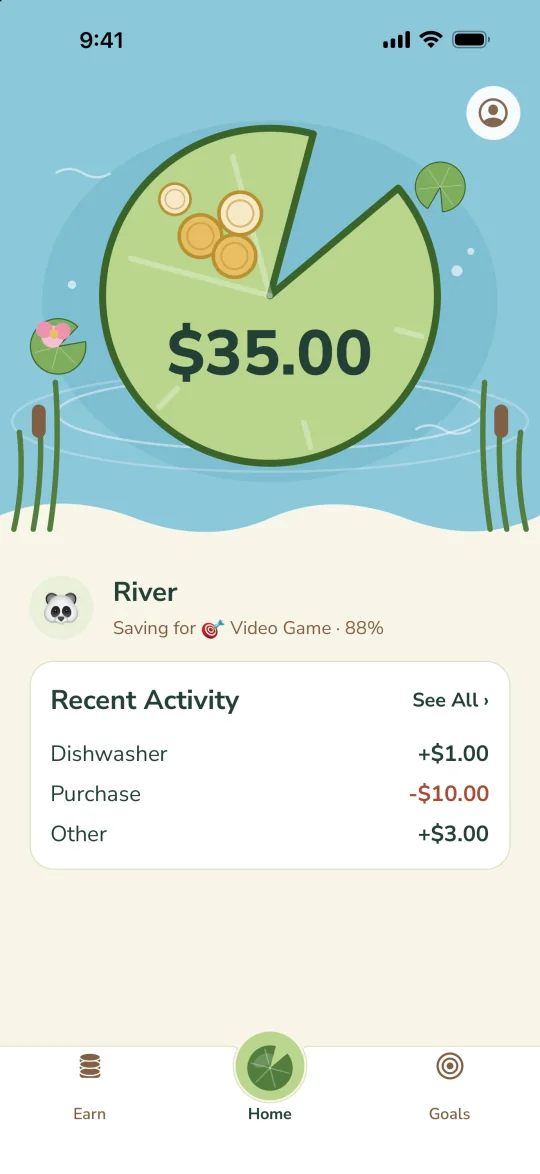
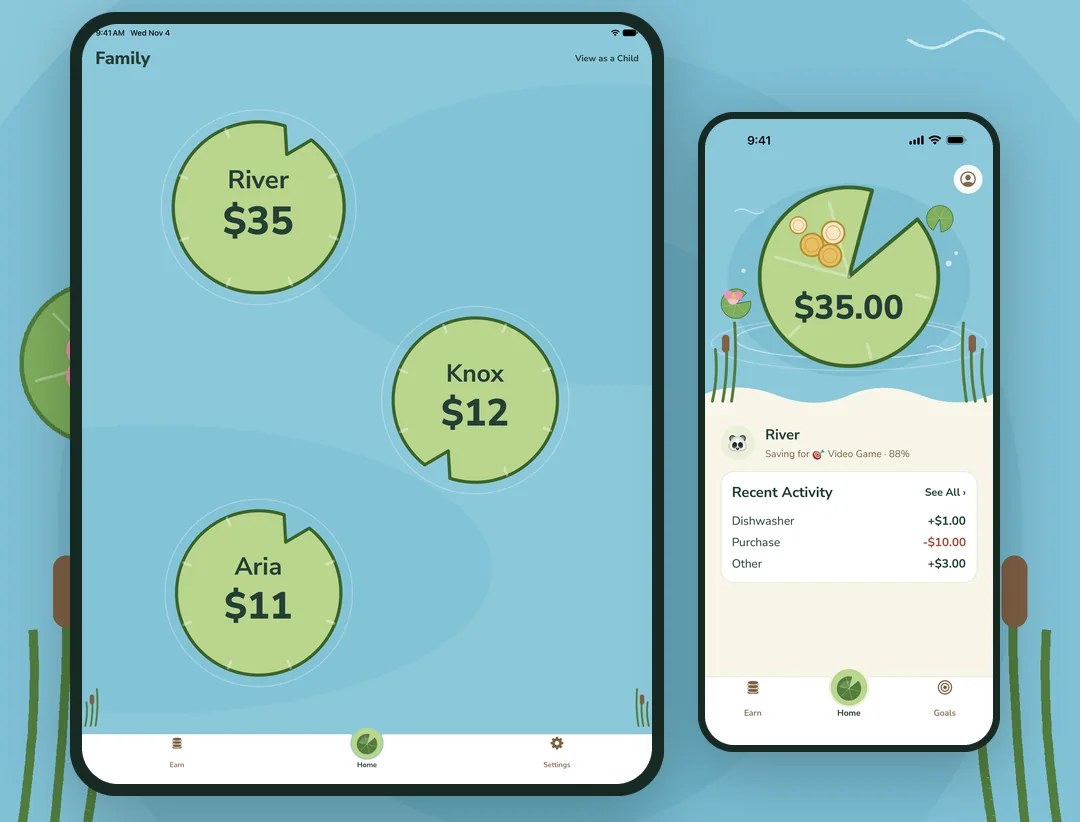
- Your child sees their balance on a lily pad, their chores, and the goal they’re saving for.
The ledger remembers, so you don’t have to be the nag.
If you want a real debit card for your kid, this isn’t it. There’s no card here at all.
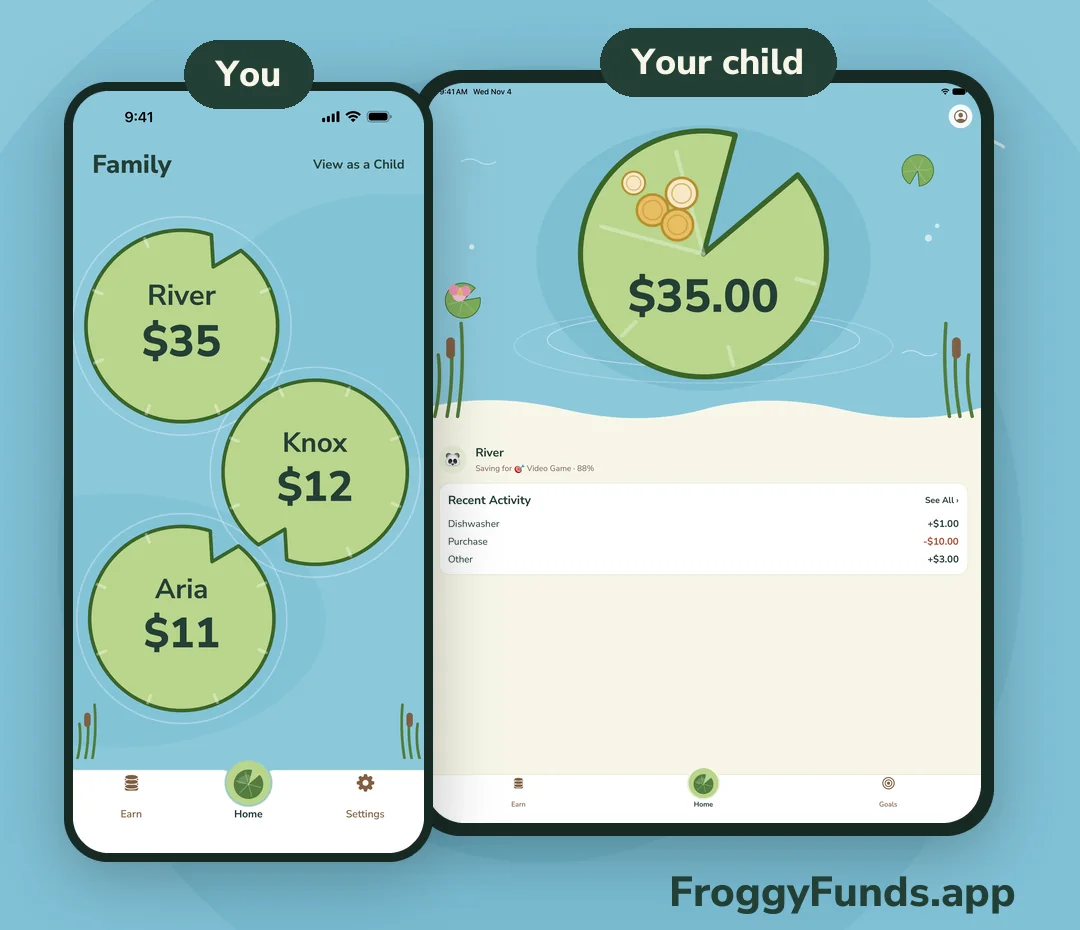
A reward system that goes where you go
- Catch them being good. Add a reward from your phone in a few taps, at home, at the store, or at the park.
- Any amount, any reason. Add a note, like “Helped without being asked,” so they remember what they did.
- They see it grow. The reward lands on their Pond, where they can save it for a goal or trade it in. Show them on your phone, or on their own device if they have one.
You choose what rewards are worth: a treat, extra story time, or a trip to the park. Play money like lily pads works great for little ones.
Rewards work on the free plan.
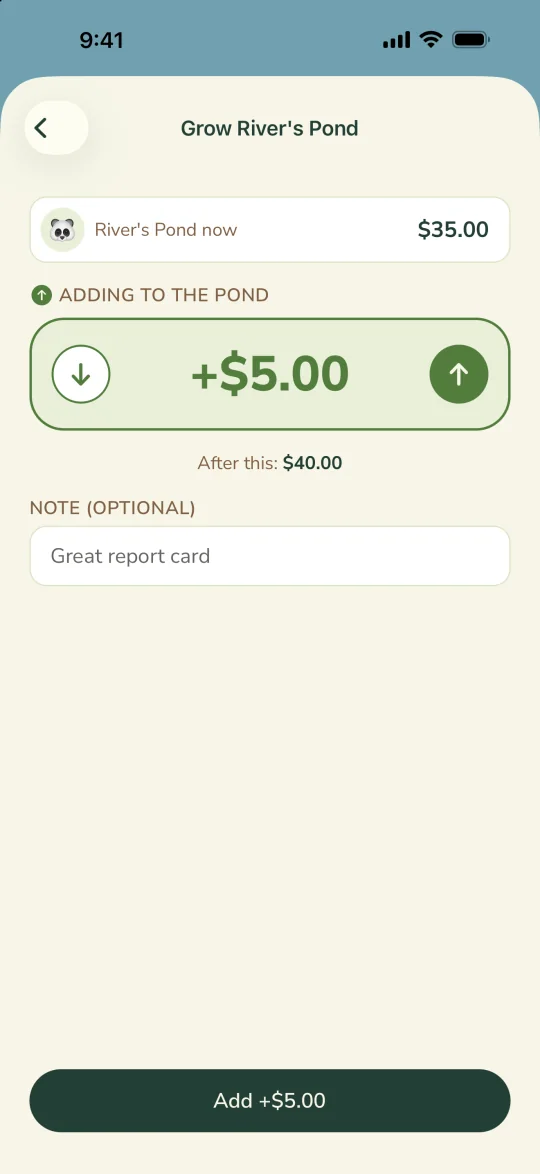
Every adult who helps can reward them
- Invite your village. A co-parent, grandparent, nanny, or sitter gets their own sign-in on their own phone.
- One set of balances. Everyone sees the same Pond and activity, so a reward at grandma’s house counts the same as one at home.
- Same message everywhere. Kids hear it from every adult: good choices grow your Pond.
Up to 4 adults with the Lifetime unlock. Every adult you invite can manage the family, so invite people you trust.
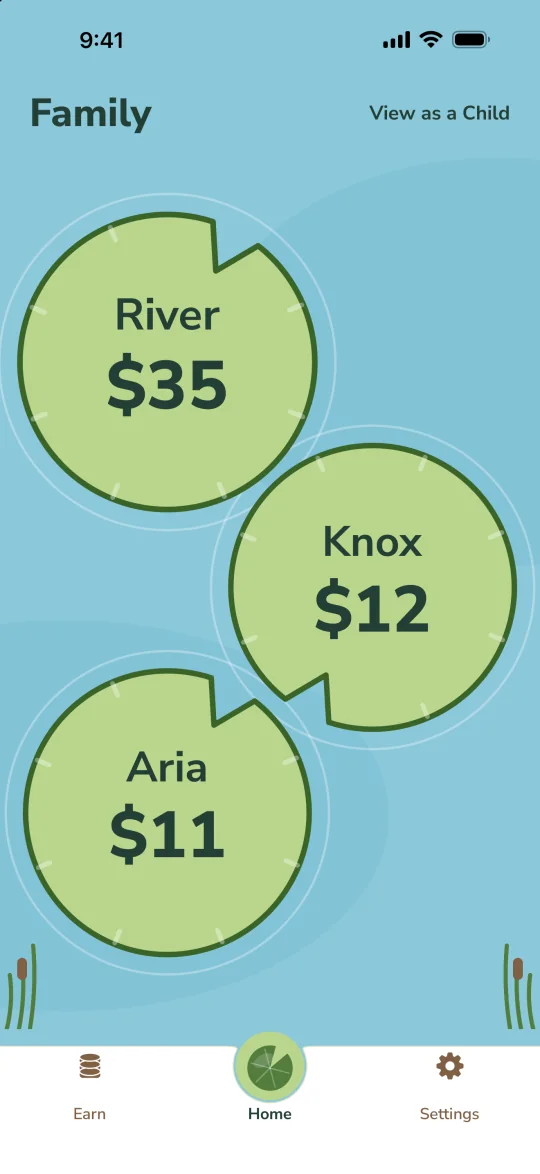
Kids can get their own login
- Open your child’s settings and get a one-time code.
- On their phone or tablet, they tap I’m a Kid and enter it.
- No email or password. They see only their own Pond, chores, and activity.
Their own login is optional. No device for your child? Tap View as a Child on your phone to show them their Pond.
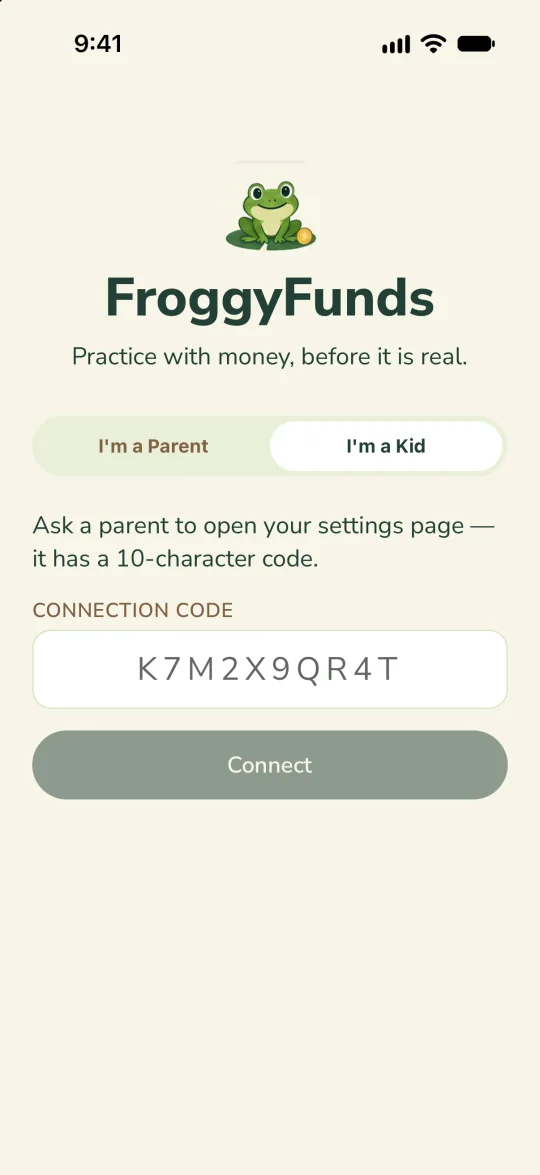
A peek inside
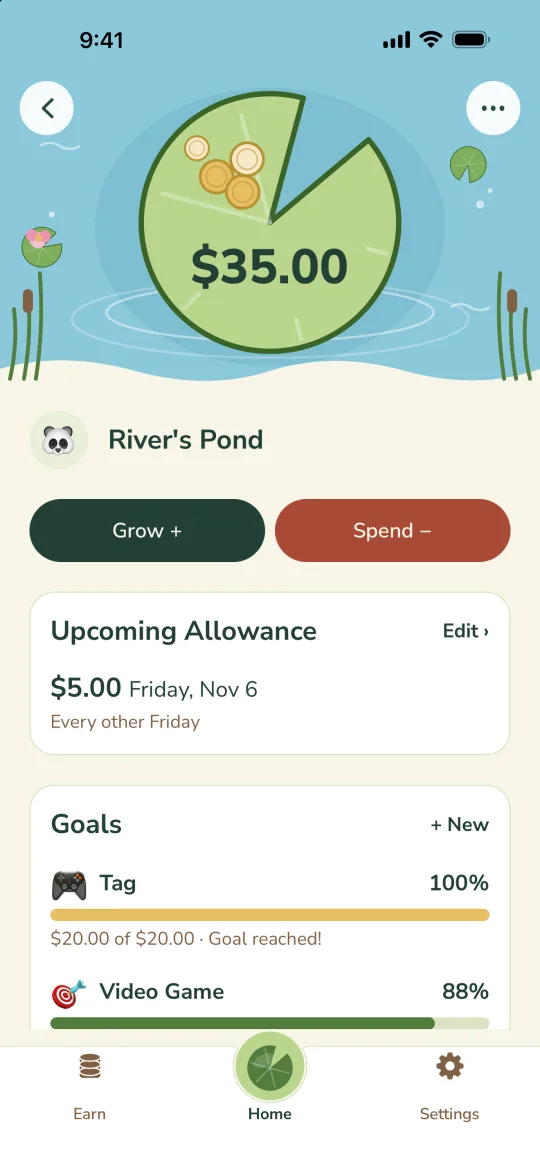
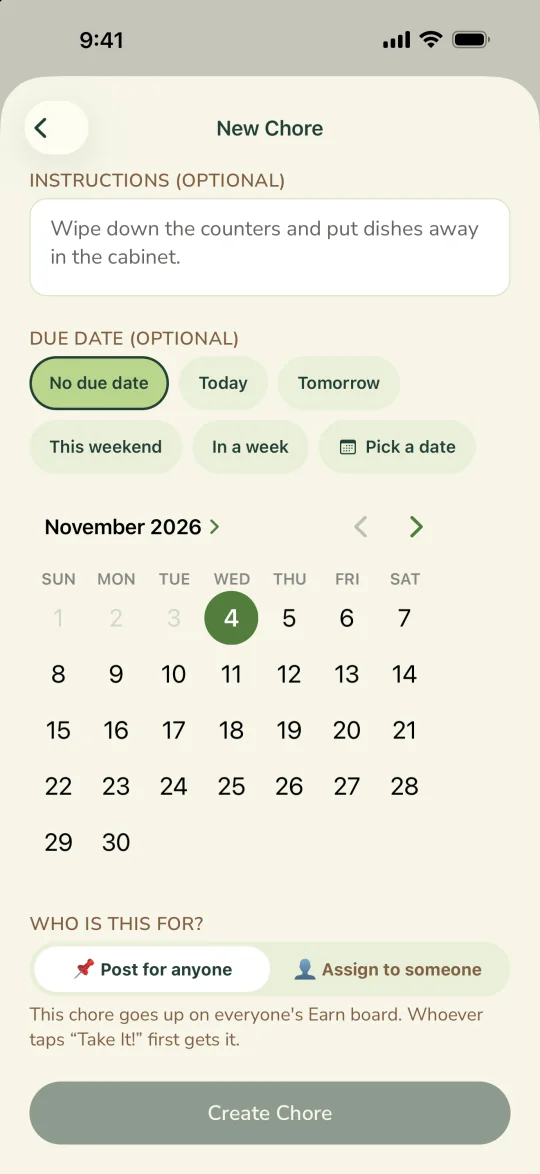
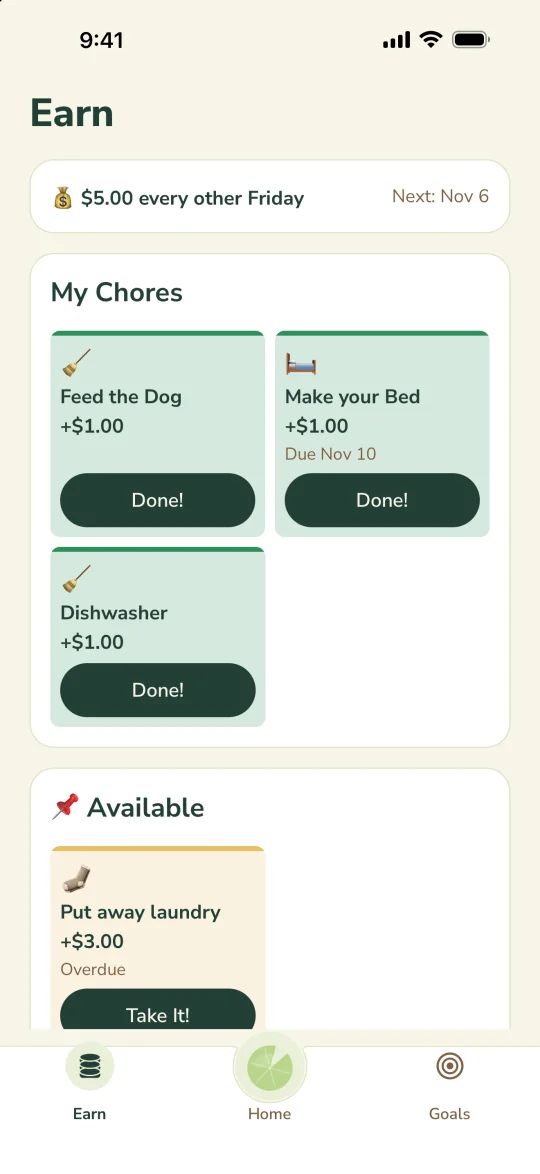
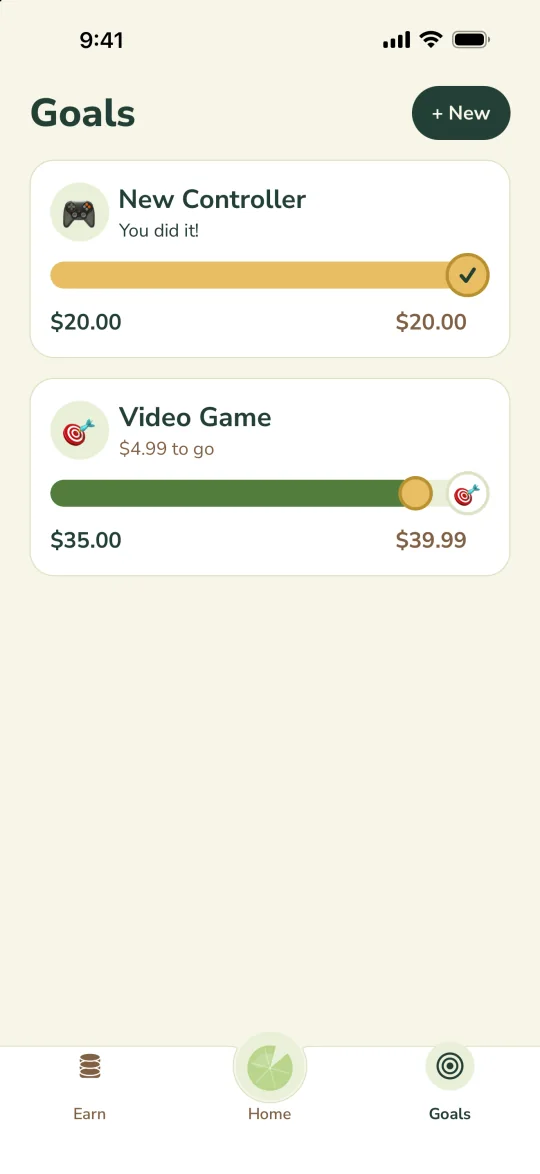
New in version 1.3
- Family pond: every child on their own lily pad.
- Goals: pick a picture and follow a simple progress bar.
- Grow and Spend: clearer amounts, with cents.
- Chores: pick any due date from a calendar.
Made for families
Their own device, if you want
Connect a phone or tablet with a one-time code, no email or password needed. Or skip it and share your phone with View as a Child.
Caregivers share the work
Invite a co-parent, grandparent, or nanny with their own sign-in. Everyone sees the same balances, so nobody has to remember what was paid.
Your data stays yours
No bank links, ads, or ad tracking. Delete your family’s data any time.
Pricing
Free
Try it with one child
$0
- 1 child and 1 adult
- Balance, rewards, and activity
Lifetime unlock
For the whole family
$19.99
- Up to 8 children
- Up to 4 parents and caregivers
- Chores, allowance, and goals
| Free | Lifetime unlock | |
|---|---|---|
| Children | 1 | Up to 8 |
| Parents and caregivers | 1 | Up to 4 |
| Balance, rewards, and activity | Yes | Yes |
| Chores, allowance, and goals | No | Yes |
| Ads | None | None |
| Price | $0 | $19.99 once |
Not working for your family? Refunds go through the store you bought from (here’s how). If you get stuck, email support@froggyfunds.app and we’ll help.
US price; your app store shows your local price. Restore a past purchase in the app.
FAQ
Does it use real money?
No. There are no bank accounts or cards. You log what your child earns and spends in real life, and FroggyFunds keeps the ledger.
How do kids use it?
Tap “View as a Child” on your device, or connect their own: make a one-time code in the child’s settings, then enter it under “I’m a Kid” at sign-in.
Can I use it as a reward system?
Yes. Tap Grow on your child’s Pond and add any amount, with a note about what they did. It shows up on their Pond right away, and you decide what rewards can be traded for. Rewards work on the free plan.
Can grandparents or a nanny use it too?
Yes. With the Lifetime unlock you can invite up to 4 adults, each with their own sign-in on their own phone. Everyone sees the same balances and can give rewards. Every adult you invite can manage the family, so invite people you trust.
How does allowance work?
Pick an amount and a weekly, biweekly, or monthly schedule. It’s added to their balance automatically. Paying out real money is up to you.
Can I get a refund?
Refunds go through the store you bought from. Apple: request one at reportaproblem.apple.com. Google Play: within 48 hours, use Report a problem in your Play order history; after that, email us. Amazon: contact Amazon customer service. If you get stuck, email support@froggyfunds.app and we’ll help.
I switched phones. How do I get my unlock back?
Tap “Restore Purchase” on the unlock screen.
What information do you collect?
A parent’s email, plus the first name and avatar you choose for each child. No birthdays, photos, or addresses. See the Privacy Policy.
How do I delete my account?
In the app, go to Settings → Delete Account, or email support@froggyfunds.app. Your family’s data is deleted with it.